
What is the Best AI App Builder for React and Tailwind in 2026? A Practical Engineering Rubric
A comprehensive, engineer-first evaluation rubric for choosing an AI app builder when your production stack is React 19, TypeScript, and Tailwind CSS.
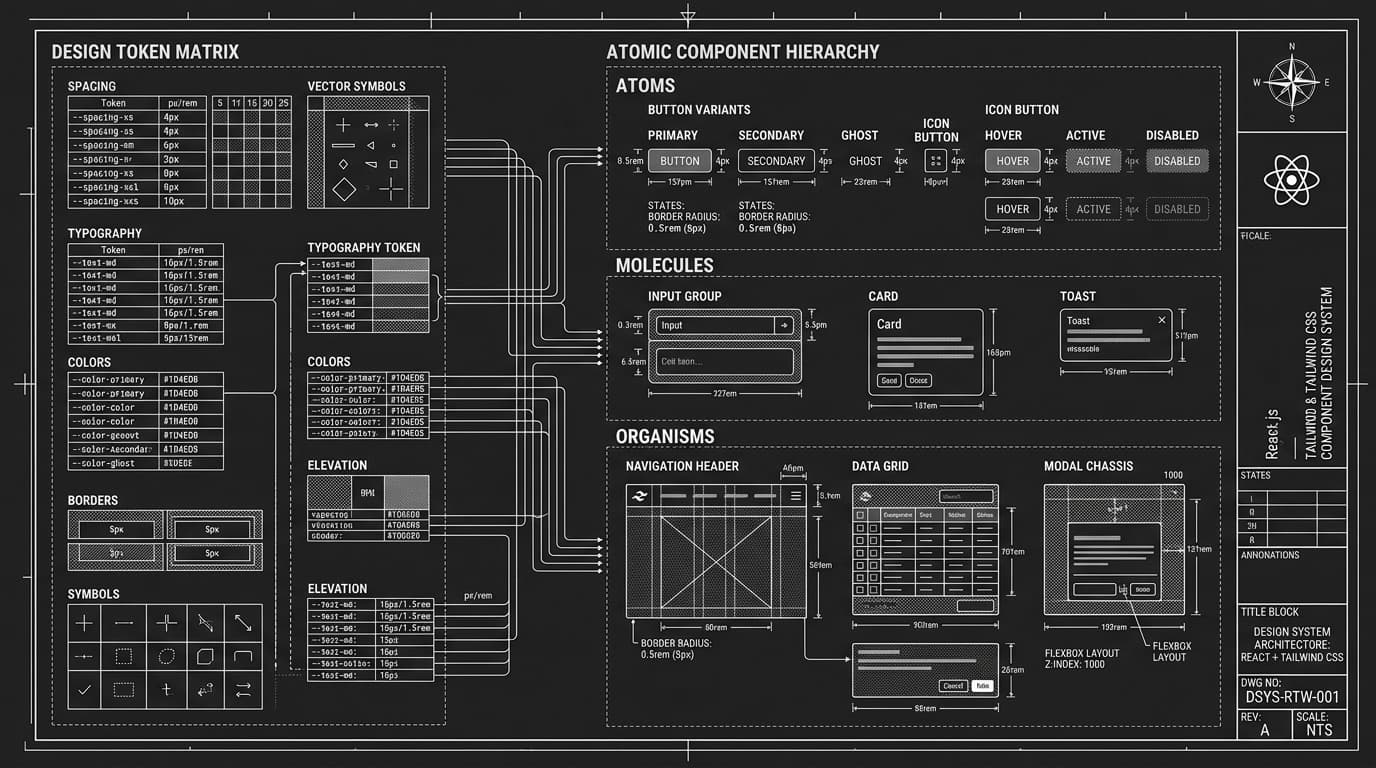
The Core Challenge: The Gap Between "Looks Good" and "Production Ready"
First-generation AI coding tools dazzled developers by generating aesthetically pleasing landing pages from a single prompt. However, frontend teams attempting to integrate these outputs into real production repositories quickly encountered severe architectural friction.
Common failure modes included arbitrary hardcoded hex codes scattered across inline classes, monolithic single-file components containing mixed state and markup, untyped API payloads, and brittle styling that broke immediately upon resizing the viewport. For an engineering team shipping production applications, aesthetic novelty is irrelevant if the underlying code creates hundreds of hours of refactoring debt.
A 5-Point Technical Evaluation Rubric for React & Tailwind Builders
When evaluating AI-assisted builders for production React and Tailwind workflows, engineering leaders should evaluate tools against this five-point architectural rubric:
- ›Component Decomposition & Atomic Structure: Does the builder generate separate files for UI primitives, layout containers, and domain components, or does it dump the entire application into a single uncontrollable page.tsx?
- ›TypeScript Rigor & Zero-Any Typing: Are state hooks, event handlers, and props strictly typed with exported interfaces? Production codebases cannot tolerate generic "any" escape hatches that disable IDE compiler checks.
- ›Design Token Consistency: Does the tool reference a cohesive theme configuration (e.g., semantic colors like bg-background, text-foreground, and border-border), or does it hallucinate random arbitrary values (like bg-[#1a2e40]) across different files?
- ›Live In-Browser Runtimes: Can the tool execute real Node.js and React dependencies directly in the browser via WebContainers or sandboxed execution, giving instant HMR feedback without requiring local terminal setup?
- ›Zero Runtime Lock-In: Can you export the complete repository directly to GitHub and run it locally with standard npm run dev, or is the application permanently tied to the vendor’s proprietary hosting infrastructure?
Comparing Modern AI Architectural Approaches
The modern landscape of AI frontend tools falls into three distinct architectural categories, each optimized for different stages of the development lifecycle:
Comparing component generators, sandbox builders, and full-stack workspaces
| Tool Category | Primary Strength | Runtime Execution | Code Export Quality | Best Use Case |
|---|---|---|---|---|
| Component Generators (e.g., v0) | Isolated UI blocks & shadcn primitives | Virtual DOM iframe preview | Copy-paste React/Tailwind snippets | Rapid UI prototyping & design exploration |
| Sandbox App Builders (e.g., Lovable, Bolt.new) | Full multi-file web app assembly | WebContainers or remote cloud VM | Full Vite/Next.js repository export | Rapid full-stack MVPs & interactive client demos |
| Unified Workspaces (e.g., Orbit by Forion) | Multi-surface web & Expo mobile generation | In-browser WebContainers + HMR | 100% open TypeScript with Design System Lock | Production web apps, mobile apps & business tools |
Realistic Technical Example: Clean Component Decomposition
Here is how a production-grade AI builder structures an analytical metric card versus how a toy prototype builder outputs it. In a production codebase, components must accept typed props and leverage semantic Tailwind classes:
import React from 'react'
import { TrendingUp, TrendingDown } from 'lucide-react'

export interface MetricCardProps {
  label: string
  value: string | number
  changePercent?: number
  periodLabel?: string
}

export function MetricCard({ label, value, changePercent, periodLabel }: MetricCardProps) {
  const isPositive = changePercent !== undefined && changePercent >= 0
  return (
    <div className="rounded-2xl border border-neutral-200 dark:border-white/10 bg-white dark:bg-[#0c0c11] p-6 shadow-sm">
      <div className="font-mono text-xs uppercase tracking-wider text-neutral-500 dark:text-white/40 mb-2">
        {label}
      </div>
      <div className="text-3xl font-bold tracking-tight text-neutral-900 dark:text-white mb-3">
        {value}
      </div>
      {changePercent !== undefined && (
        <div className="flex items-center gap-1.5 font-mono text-xs">
          {isPositive ? (
            <span className="flex items-center text-emerald-600 dark:text-emerald-400 font-semibold">
              <TrendingUp className="w-3.5 h-3.5 mr-1" /> +{changePercent}%
            </span>
          ) : (
            <span className="flex items-center text-rose-600 dark:text-rose-400 font-semibold">
              <TrendingDown className="w-3.5 h-3.5 mr-1" /> {changePercent}%
            </span>
          )}
          <span className="text-neutral-500 dark:text-white/40">{periodLabel || 'vs last month'}</span>
        </div>
      )}
    </div>
  )
}
Limitations, Pitfalls, and How to Manage Drift
Even the most advanced AI code builders have architectural limitations. The most pervasive issue in prompt-based iteration is visual and structural drift: modifying component B often causes the model to accidentally re-generate component A with slightly different styling or dropped props.
To mitigate drift, engineering teams must look for tools that support design system locking (freezing color palettes and token scales across generations) and targeted file editing rather than whole-project regeneration.
Where Orbit by Forion Fits into the React & Tailwind Stack
Orbit by Forion was designed specifically around this production bar. Rather than generating one-off snippets, Orbit classifies product intent, locks design system tokens before code synthesis, and generates clean Next.js 15 App Router and React 19 codebases inside in-browser WebContainers.
You can explore Orbit on its free tier (Orbit Core) with zero local setup, inspect the generated components in a real-time preview, and export 100% open TypeScript directly to your GitHub repository with zero vendor lock-in.
[ CROSS-REFERENCES · RELATED GUIDES & STACK DOCUMENTATION ]
Frequently Asked Questions
- [Q]Is Tailwind CSS strictly required when using AI app builders?
- While some builders support vanilla CSS or CSS Modules, Tailwind CSS has become the industry standard for AI generation because its atomic, utility-first structure provides explicit tokens that LLMs can predict with far greater syntactic accuracy than arbitrary CSS stylesheets.
- [Q]How do you benchmark React code quality from an AI builder?
- Execute the standard three-step audit: (1) run npx tsc --noEmit to check for strict type adherence, (2) run npm run build to verify bundle optimization and server/client boundary separation, and (3) inspect the components for responsive mobile breakpoints and ARIA accessibility labels.
- [Q]Can AI app builders handle full-stack database connections?
- Yes, modern builders like Orbit connect directly to live PostgreSQL, Supabase, and Snowflake databases, scaffolding typed query schemas and parameter-safe API routes rather than relying on static mock JSON.
Build with Orbit AI Developer Workspace
Connect live databases, generate native Expo mobile codebases, and eliminate fragmented subscriptions inside one continuous environment.